What does the Rockerbox-Segment integration do?
Once enabled, Rockerbox will automatically pull your events from Segment into your Rockerbox account. This allows you to create conversions within Rockerbox that track events in Segment. For example, if you have an ‘Added Product’ event in Segment, you’ll be able to create an ‘Add to Cart’ conversion in Rockerbox to track those events. You can do the same for your other events in Segment, like creating a ‘Purchase’ conversion in Rockerbox that corresponds to your ‘Order Completed’ event in Segment, or an ‘Account Created’ conversion for your ‘User Signup Completed’ event.How does the integration work?
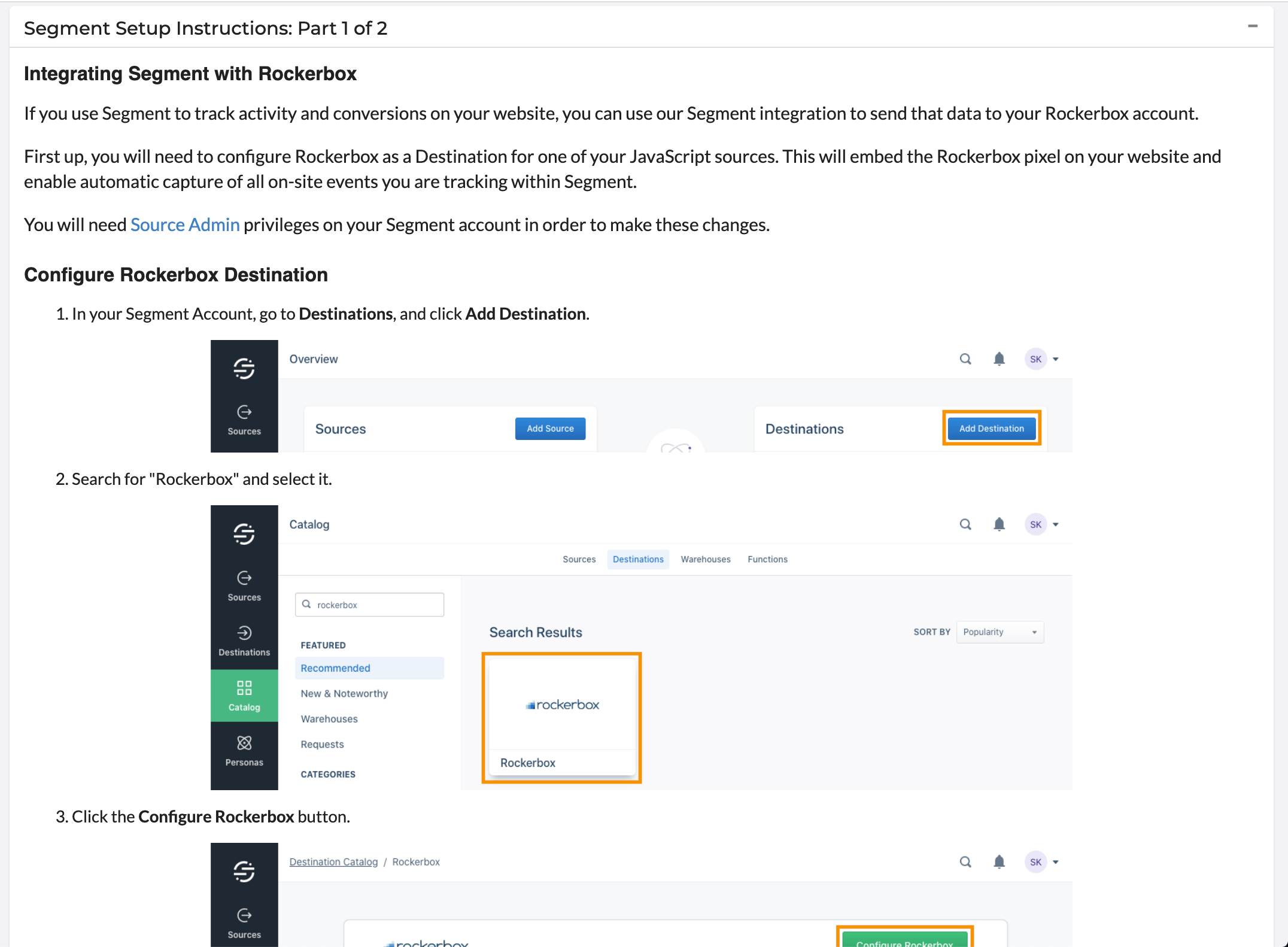
Segment sends data from Rockerbox in two ways:- Onsite: data is passed via pixel
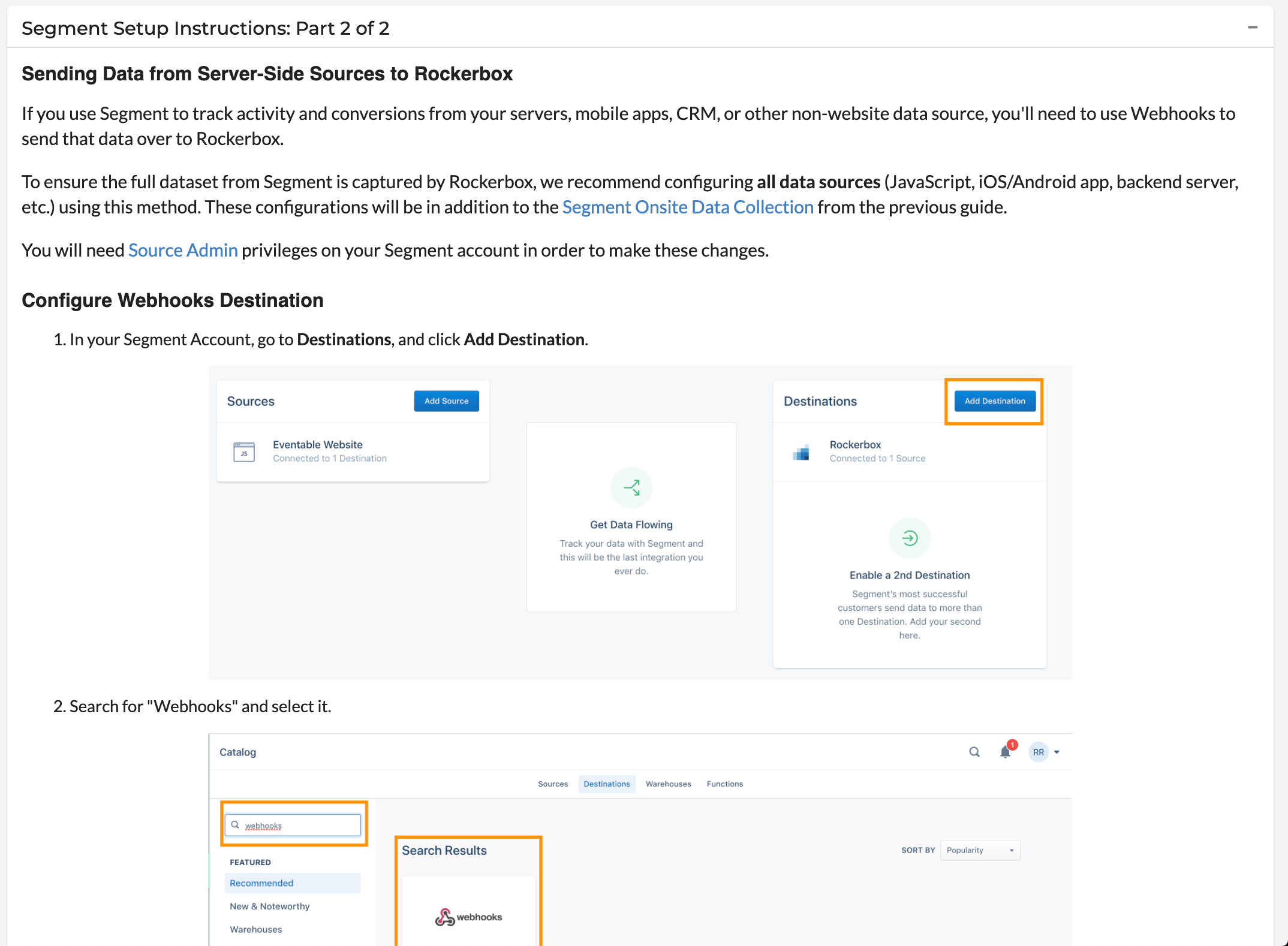
- Server-Side: data is passed via webhook
Getting your Segment account ready for Rockerbox
In order to integrate your Segment data in Rockerbox, you’ll need to make some edits to your Segment account to start sharing data. You will need Source Admin privileges on your Segment account in order to set up the integrationHow do I set this up for my account?
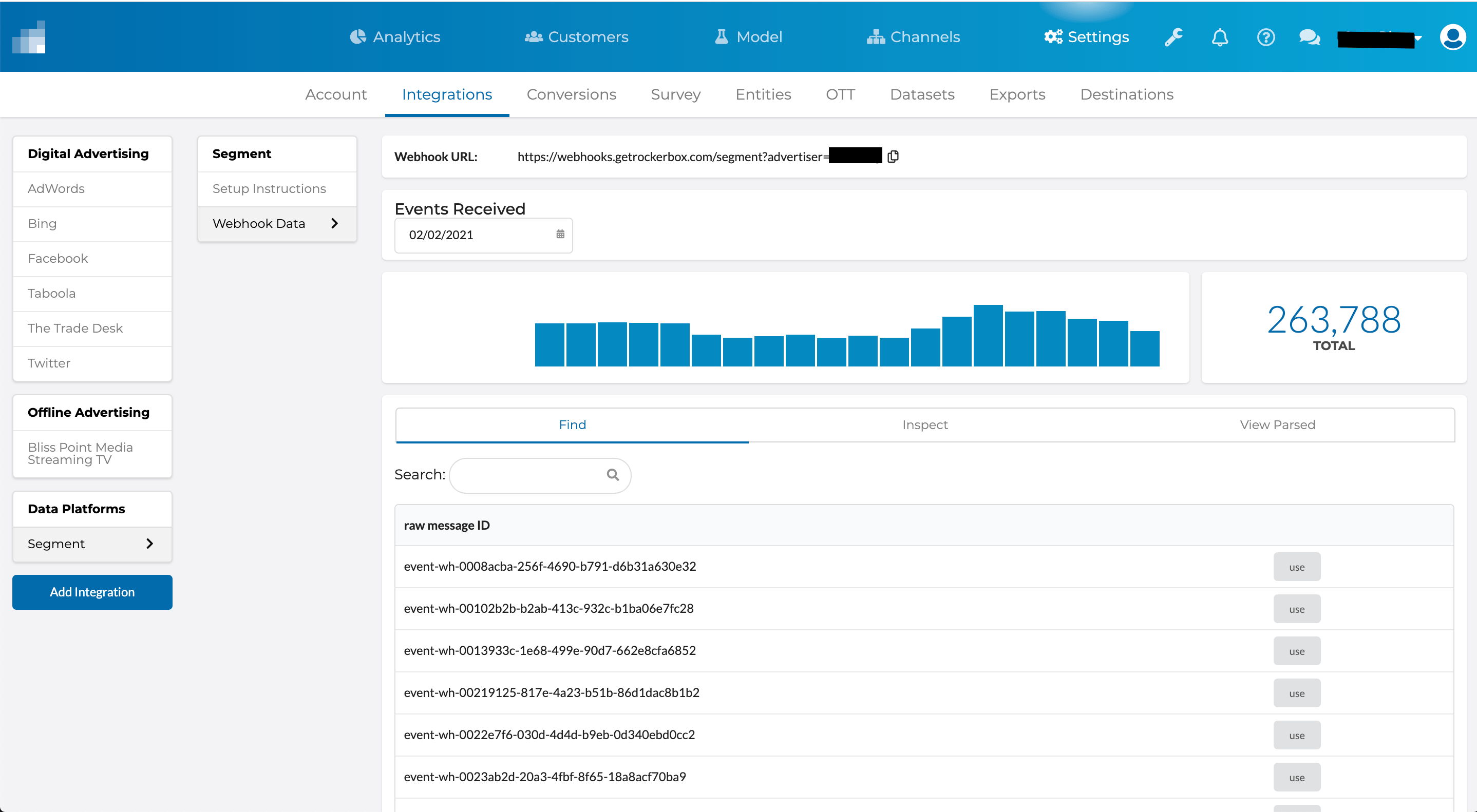
1) In your Rockerbox dashboard, go to Settings > Integrations > Add Integration. Search for “Segment” and click Connect.