

Overview
Rockerbox integrates with Invoca to import phone calls as a conversion event and treat phone calls as a marketing touchpoint on the path to conversion. Invoca data additionally helps supplement your customer identity graph, tying callers and phone numbers to browser sessions tracked by Rockerbox.Setup Process
1. Enable the Invoca Integration in Rockerbox
- In your Rockerbox dashboard, go to Settings > Data Sources
- Under the Integrations section, click the switch next to Invoca
- Enter your Invoca Network ID and API Token (see below for how to find these)
- Submit the form. Once you see your Invoca account name appear, the integration is set up
2. Find Your Invoca Network ID
Your Network ID is visible after/networks/ in the URL on the Invoca Network Home Page.
99.
3. Generate an Invoca API Token
- In the Invoca navigation bar, hover on Integrations and select Invoca APIs
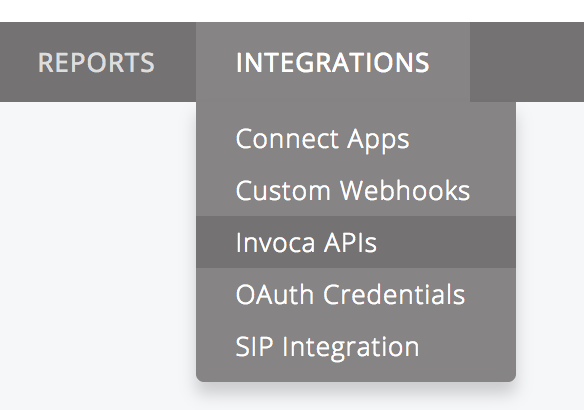
- On the Invoca API Credentials page, click New API Credential
- Enter
Rockerboxas the description and click Save - Copy the generated API token and use it in the Rockerbox integration setup above
Verification
After setup:- Confirm call data is flowing into Rockerbox
- Verify phone call conversions appear in your reporting
- Contact support@rockerbox.com for QA assistance