

Overview
Rockerbox integrates with CallRail to import phone calls as a conversion event. CallRail data additionally helps supplement your customer identity graph, tying callers and phone numbers to browser sessions tracked by Rockerbox.Setup Process
1. Enable Custom Cookie Capture
In your CallRail dashboard, go to Settings > Integrations and click into Custom Cookie Capture.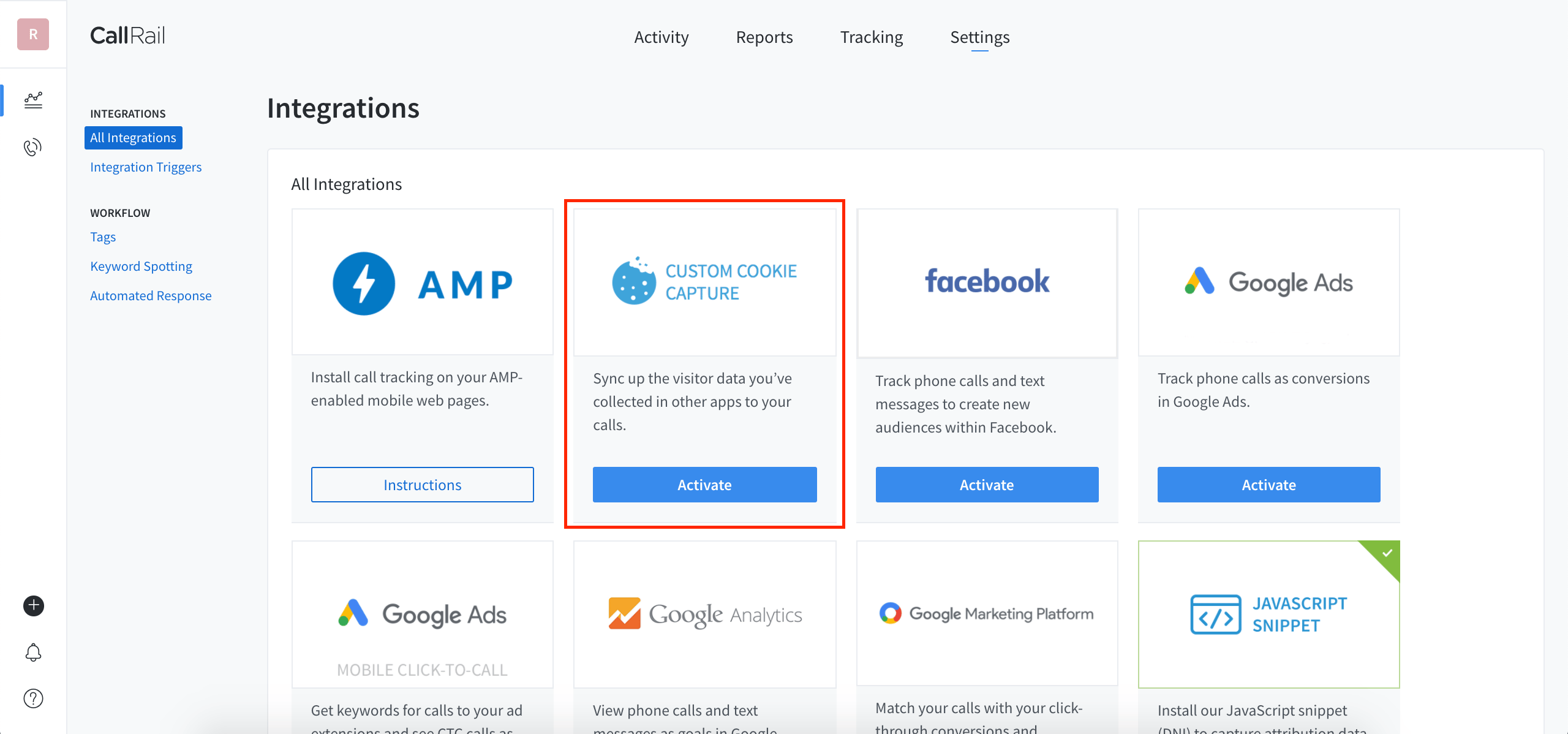
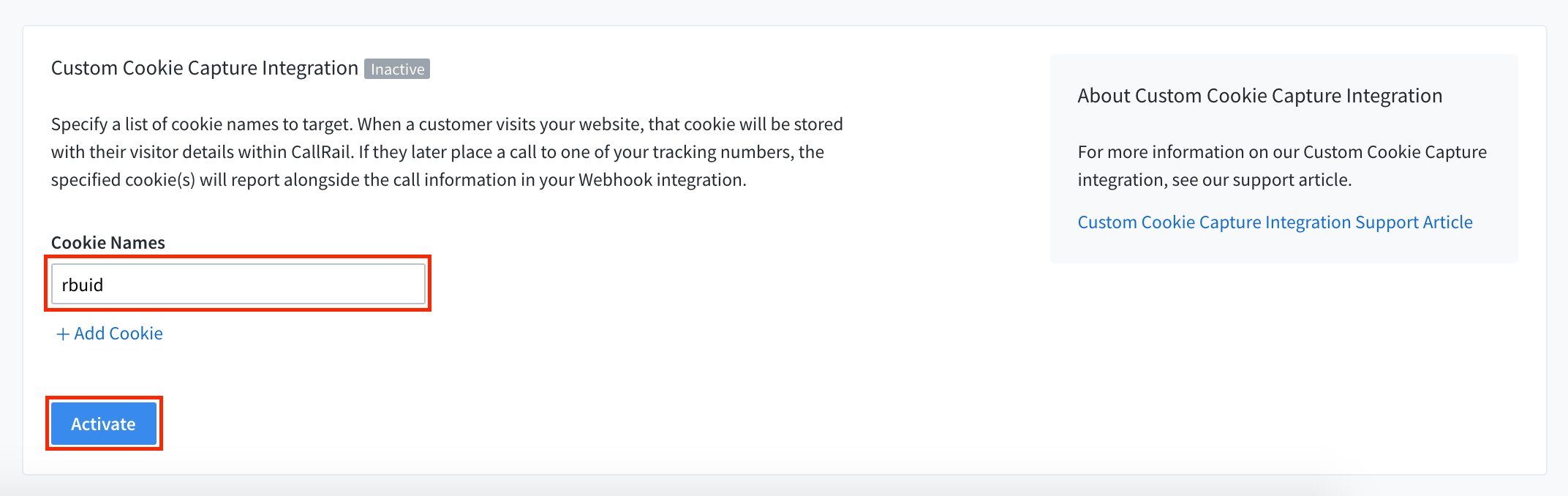
rbuid and click Activate. If you already have a value entered, use the Add Cookie option to add rbuid in a separate box.
2. Configure Webhooks
Go back to Settings > Integrations and click into Webhooks.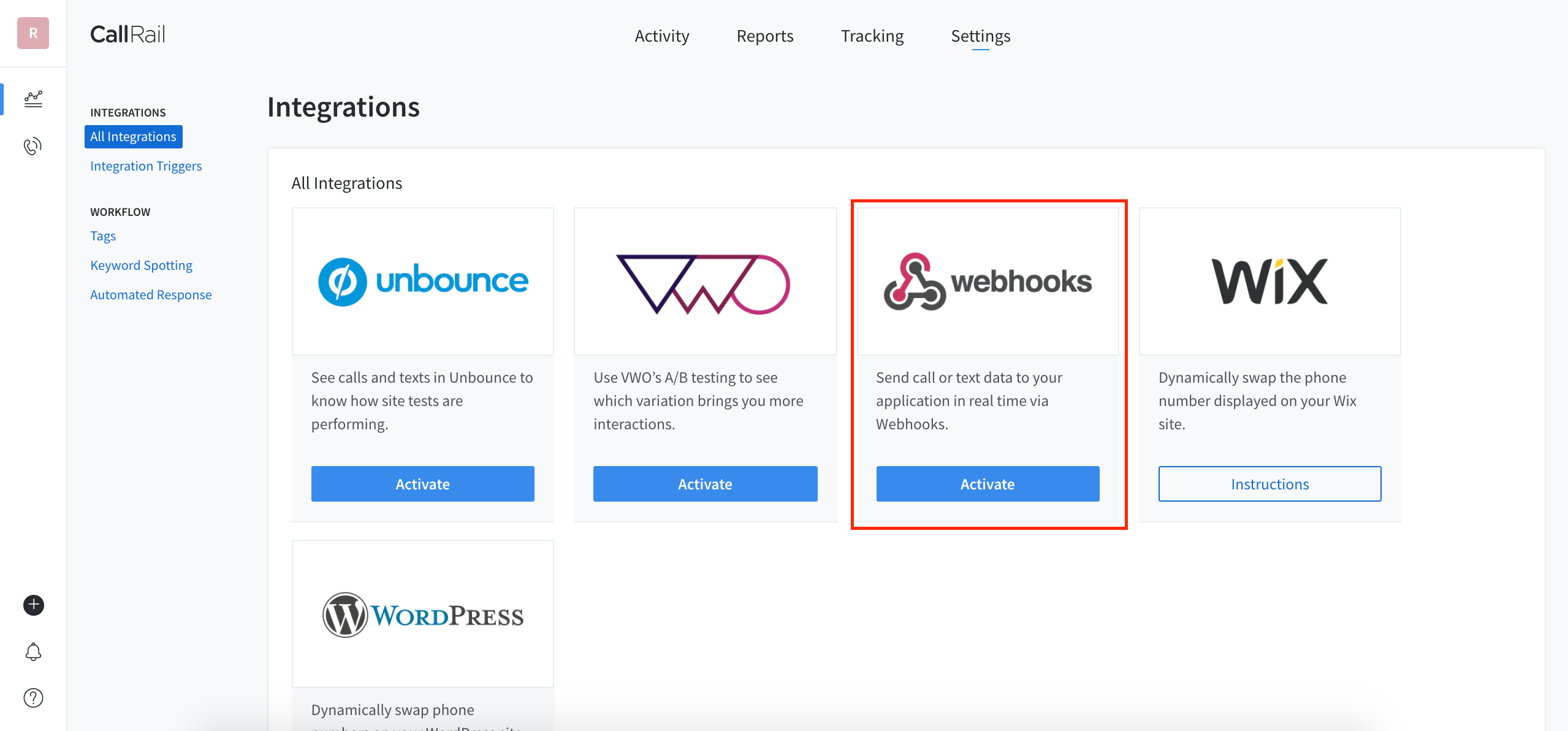
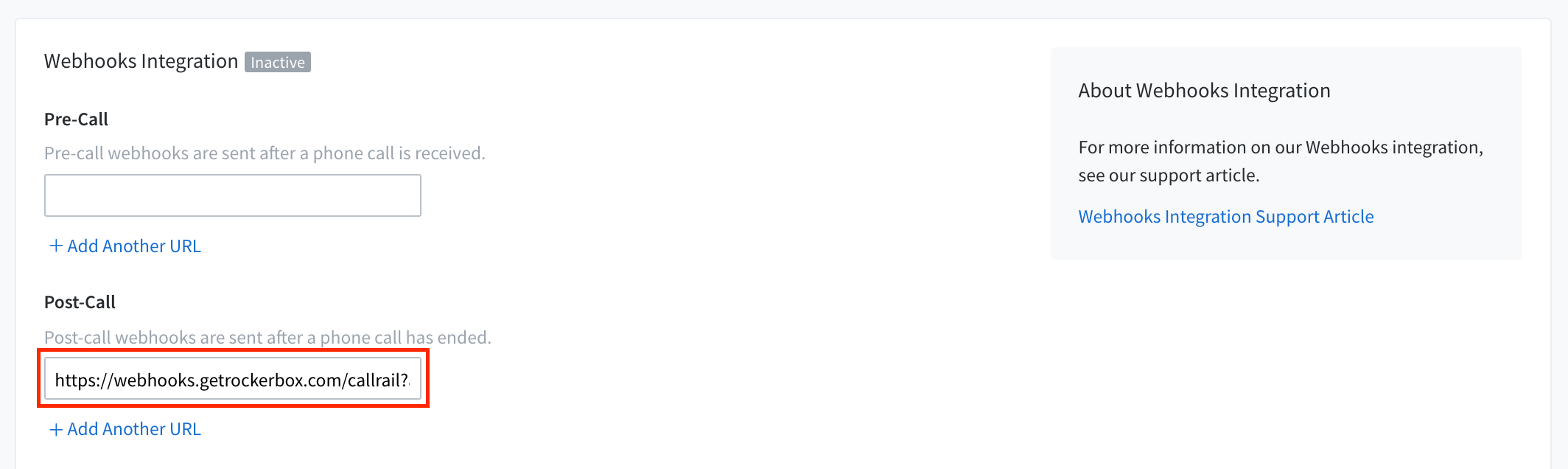
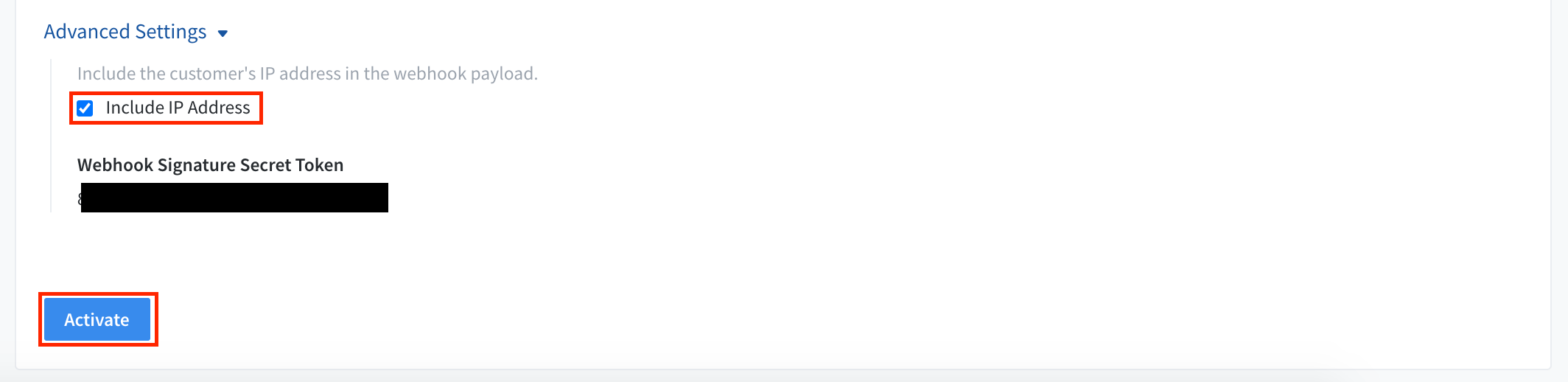
3. Confirm and Launch
- Go back to Settings > Integrations and confirm that both Custom Cookie Capture and Webhooks are enabled
- Contact your Rockerbox account manager to proceed with setting up the integration on the Rockerbox side
Verification
After setup:- Confirm call data is flowing into Rockerbox
- Verify phone call conversions appear in your reporting
- Contact support@rockerbox.com for QA assistance