

Overview
Rockerbox integrates with Pinterest to track click and view-based touchpoints and ingest daily spend via API. View-based tracking is available through a direct partnership where Pinterest sends user-level touchpoints to Rockerbox.Setup Process
- Authenticate your Pinterest account(s) on the Advertising Platforms page. This allows Rockerbox to ingest daily spend
- Apply click tracking parameters to all ads (see Click Tracking sections below)
- Contact support@rockerbox.com with the launch date and the tier structure you’d like applied. The team will also set up view and engagement-based tracking
- The day after launch, confirm tracking is applied on the Advertising Platforms page
View-Based Tracking
Rockerbox tracks view and engagement-based touchpoints from Pinterest via a direct integration where Pinterest sends user-level data to Rockerbox daily. Due to privacy restrictions, a new conversion segment called [Segment Name] - Pinterest will be created when views are enabled. This segment contains all attributed conversions across all channels, including Pinterest view and engagement touchpoints.Requirements
- The Pinterest tag must be correctly set up on all pages of your website
- You agree to allow Rockerbox to send a daily performance report (Buckets Breakdown) to Pinterest, filtered to Pinterest touchpoints
Verifying the Pinterest Tag
- Open your browser and navigate to your homepage (disable any ad blockers)
- Open Inspector > Console
- Type
window.pintrk.tagIdand press Enter- If it returns a number, the tag is firing correctly
- If not, work with Pinterest to add the pixel to your site
Click Tracking
Pinterest tracking parameters must be set on ads, not on the pins you’re promoting. Editing the destination URL for your ads will cause them to temporarily move back into “pending.” These parameter values use macros and do not need to be manually replaced. Their values will be dynamically filled by the platform when the ad is served.Standard Ads (Non-Shopping)
Example Parameter String
Parameter Details
Parameter Details
Catalog Feed (Shopping Ads)
Example Parameter String
Parameter Details
Parameter Details
ad_link to your catalog data source and append the Rockerbox tracking parameters to your full URL in that column. The ad_link field allows advertisers to specify a separate URL for tracking traffic from Pinterest Shopping ads. Must include the full URL (not parameters only) and begin with http:// or https://.
Method 2: Product Group Level
Append Rockerbox tracking parameters in the “URL parameters (optional)” section when building your campaign. Add {unescapedlpurl} to the beginning of the parameters. The {unescapedlpurl} macro dynamically populates the landing page URL from the ad_link or link field in the data source when the ad is served. More info on tracking parameters for shopping campaigns.
Applying Parameters to Ads
Pinterest tracking parameters must be set on ads, not on the pins you’re promoting. Editing the destination URL for your ads will cause them to temporarily move back into “pending.”Editing an Existing Ad
In the Ads dropdown, choose Overview. For each pending and active ad, as well as any inactive ads you plan to use in the future, follow the steps below.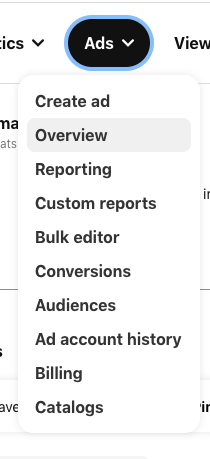
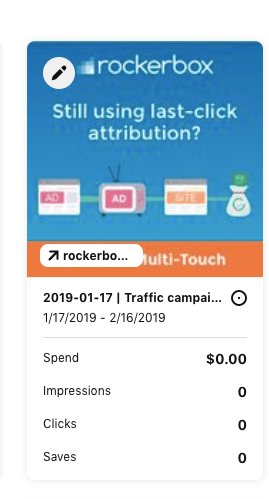
- Hover over the ad and click the edit icon in the upper left corner
- In the editing pane, select the Destination link field
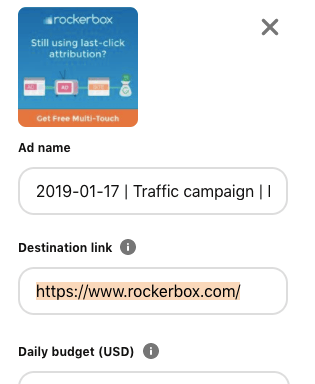
- Append the Rockerbox click tracking parameters to your destination URL
- Review your URL to confirm it matches formatting guidelines, including having a single
?between the base URL and URL parameters
Creating a New Ad (Quick Creation)
- Find the Destination URL field in the quick creation screen
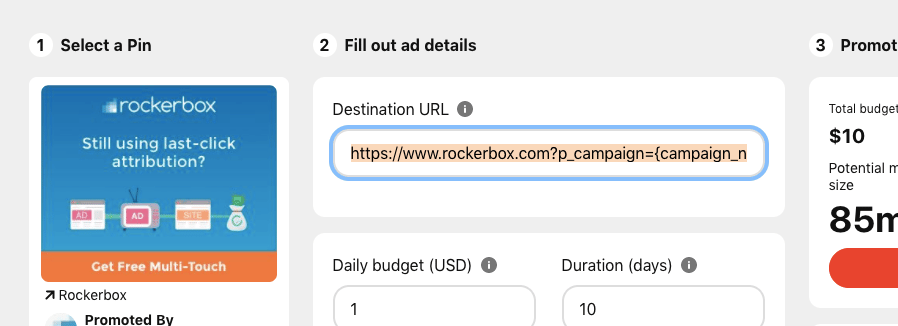
- Append the Rockerbox click tracking parameters to your destination URL
- Review your URL to confirm it matches formatting guidelines, including having a single
?between the base URL and URL parameters
Creating a New Ad (Standard Campaign Creation)
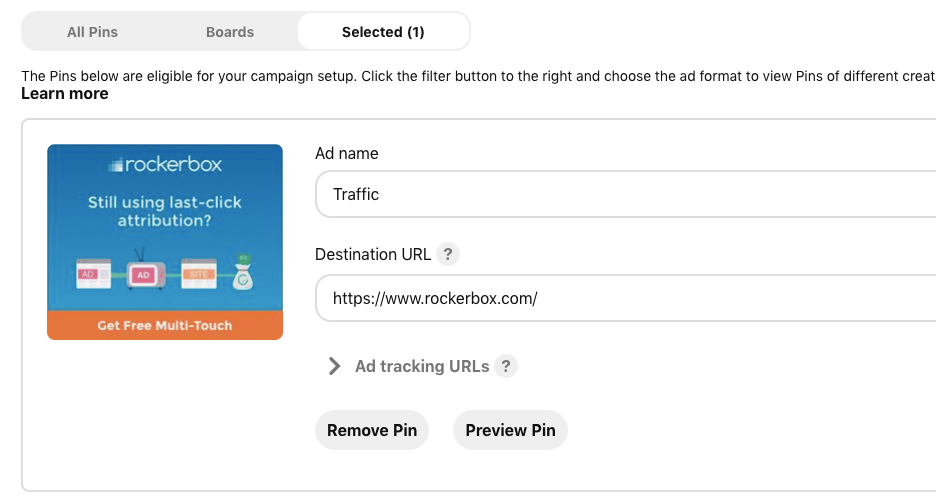
- On the campaign creation screen, select the pins you want to include as ads. Do not click the edit icon for those pins to modify the URLs, as this will result in tracking errors
- Choose the Selected tab to see the destination URLs
Spend
Spend is ingested automatically via API after authentication. Spend data refreshes daily.Unmapped Events
Unmapped events occur when Rockerbox attributes conversions to a marketing event without corresponding spend data. For Pinterest, this can happen due to “repins” where a user repins a historical ad. Rockerbox may still attribute the click, but the spend from the original campaign may no longer be in the data.Verification
After setup:- Confirm tracking is applied on the Advertising Platforms page
- Verify spend data appears in Rockerbox dashboard
- Contact support@rockerbox.com for QA assistance