

Overview
Rockerbox supports tracking for OpenAI advertising campaigns. By configuring Rockerbox tracking parameters in OpenAI Ads Manager, you enable Rockerbox to attribute and map spend at the campaign, ad group and ad level. Spend ingestion for OpenAI is currently in development. Configuring tracking parameters now ensures that Rockerbox can backfill historical spend data once the integration is fully available.Authenticating Your Account
1
Create an API Key
In Open AI Ads Manager, go to Settings → General → Create New Key at ads.openai.com to generate an API key. OpenAI does not support OAuth, so this key is required to authenticate.
2
Connect in Rockerbox
Navigate to app.rockerbox.com/v3/data/marketing/integrations/connect and use your API key to authenticate the OpenAI integration.
3
Send OpenAI Conversion Tracking Context to Rockerbox
Provide the following to your Rockerbox representative:
-
OpenAI Pixel ID
To find your OpenAI pixel ID:
- Go to Conversion → Data Source at ads.openai.com.
- Locate your pixel in the list and copy the identifier from the Name column.
Page View) and a unique pixel ID (a string such asUGKseA9CgcdrHHdidgScJR). Be sure to copy the pixel ID, not the name. -
OpenAI Conversion Events
For each OpenAI conversion event, go to Conversion → Conversion Events at ads.openai.com and send us these three values:
- Events — typically your Purchase, Order, or Subscription Start event.
- Base event — the base event paired with it in the adjacent column.
-
Event ID — the value contained in the Event ID when the pixel fires (for purchases, usually
order_id).⚠️ IMPORTANT: To avoid double-counting conversions, the Event ID must match its Rockerbox conversion identifier.
- Rockerbox Conversion Events — the conversion event in Rockerbox that corresponds to each of the tracked events in OpenAI.
Tracking Parameter Setup
We recommend configuring tracking at the campaign level so parameters inherit across all ad groups and ads. Ad group or ad-level configuration is available if you need to override specific values.- Navigate to Campaigns, Ad Groups, or Ads
- Open the three-dot menu for the level where you want to configure tracking
- Select Edit campaign, Edit ad group, or Edit ad
- Locate the Landing page query parameters field
- Enter the following Rockerbox tracking parameters:
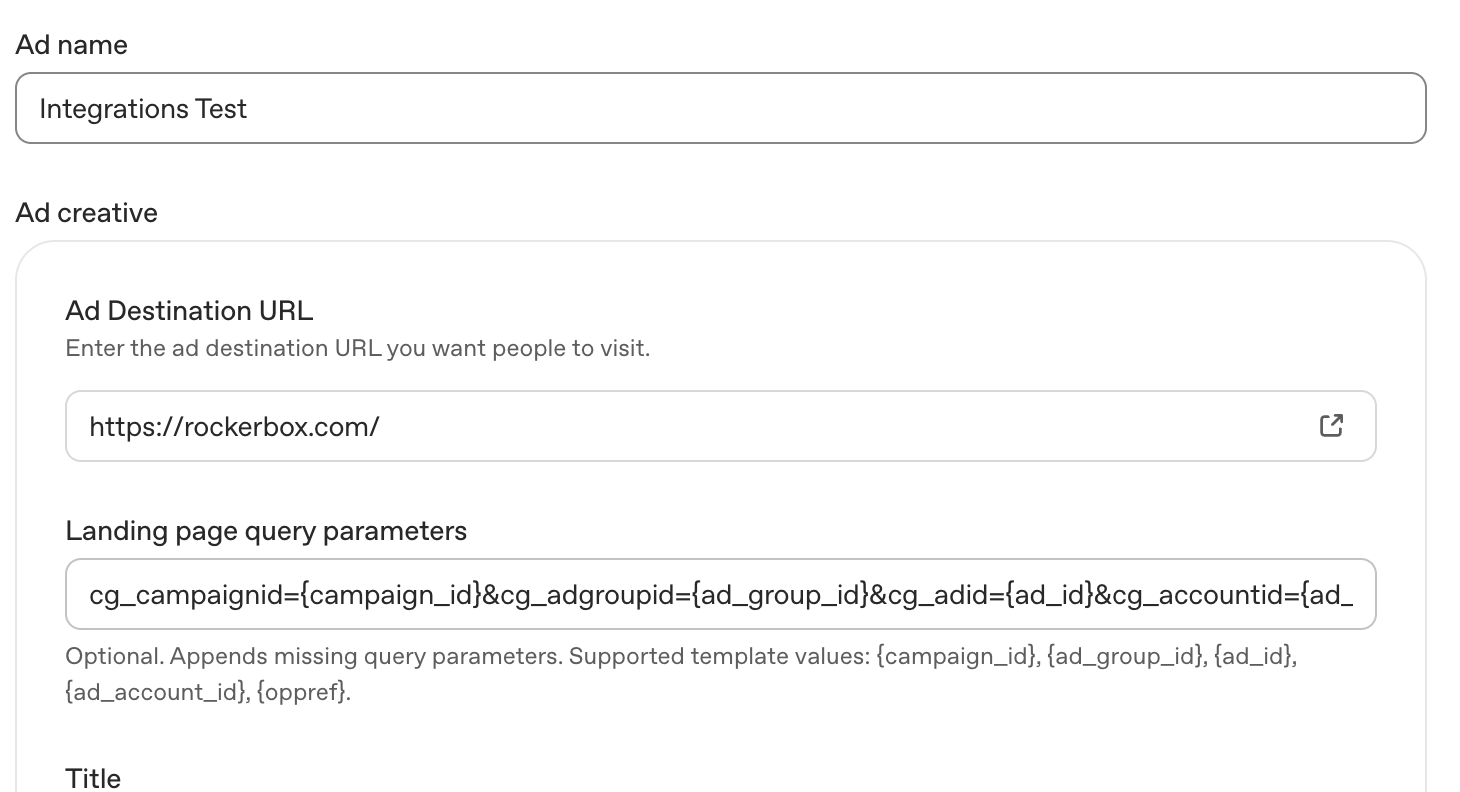
Parameter Details
Parameter Details
Note: All template values are automatically populated by OpenAI when ads are served. No manual replacement is needed.
Implementation Notes
- Tracking parameters can be configured at the campaign, ad group, or ad level. More specific settings take precedence: Ad URL → Ad → Ad Group → Campaign
- Parameters are appended to the landing page URL as query strings For implementation assistance, contact support@rockerbox.com.